Emerging Journalist

Emerging Journalists is a student-led publication that accepts submissions from middle and high school students, showcasing original research and creative projects across a variety of fields.

1. Upload Your PDF to Google Drive

  1. Go to drive.google.com

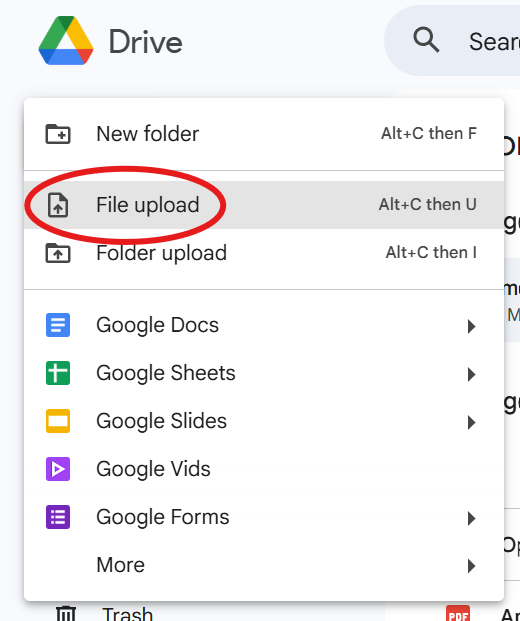
  2. Click New → File Upload

  3. Select your PDF

  4. Wait for it to finish uploading (you’ll see it appear in your Drive)

2. Find the Link Settings

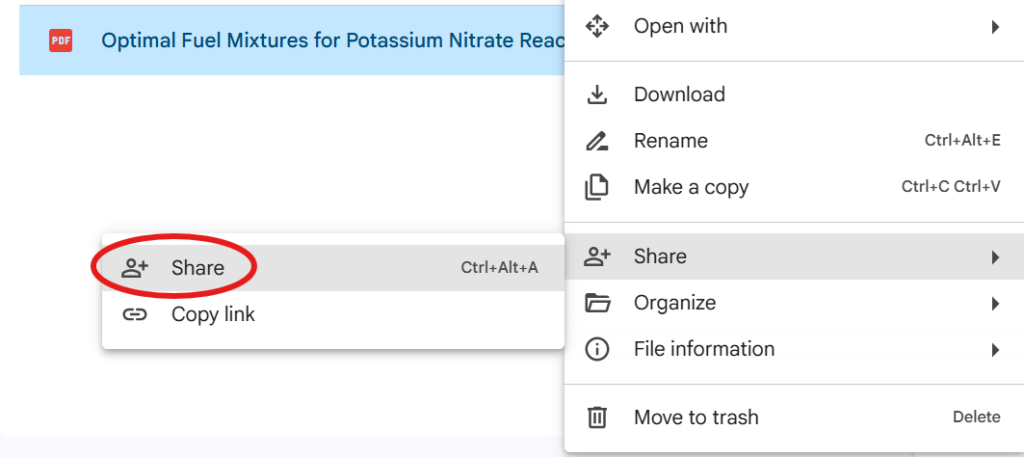
  1. Right-click your newly made PDF

  2. Click “Share”

  3. Click “Share” again on the left dropdown menu

3. Change the Link Settings

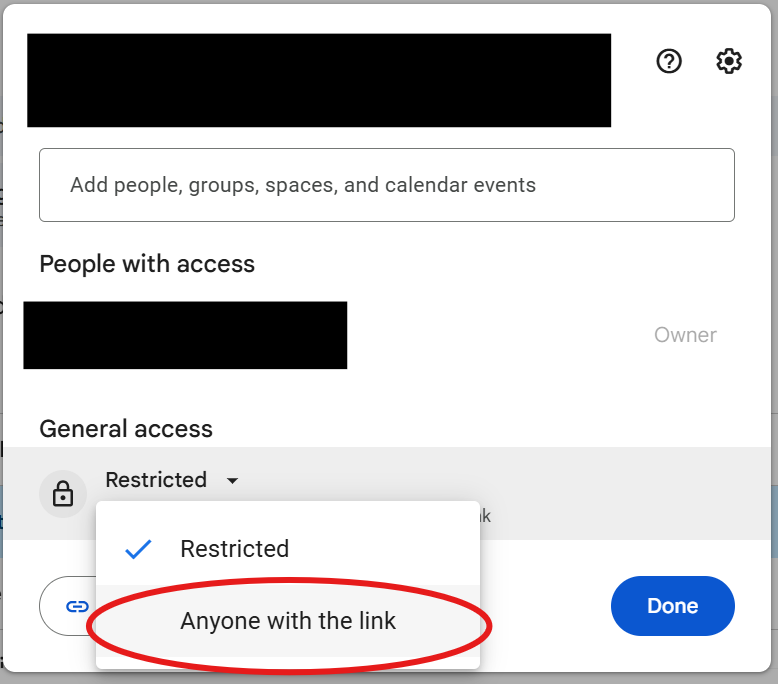
  1. Under General Access, click the dropdown

  2. Choose “Anyone with the link”

  3. Make sure the permission says “Viewer”

4. Copy the Link

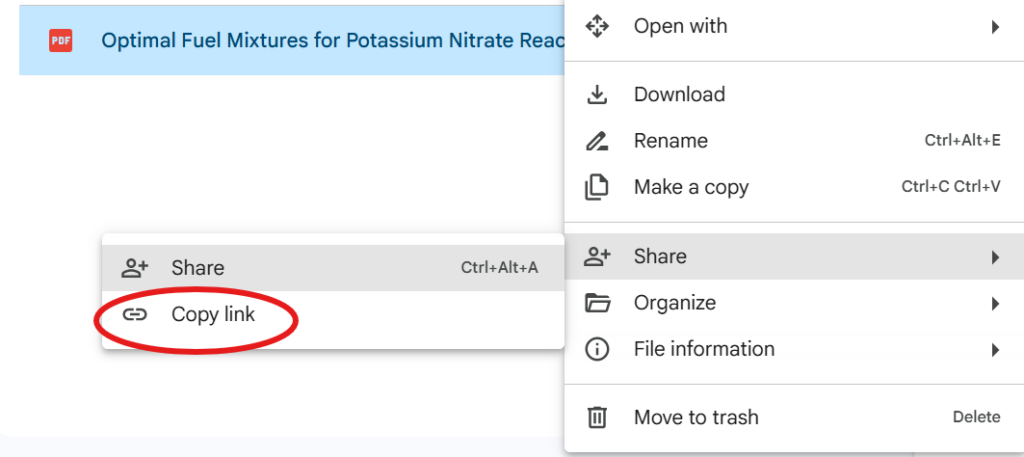
  1. Right-click your PDF

  2. Click “Share”

  3. Click “Copy Link

Double-Check Your Link

✔ Make sure it opens your PDF
✔ Make sure you didn’t upload a Google Doc
✔ Make sure the sharing is set to Anyone with the link